 Tellie
Invisible teleprompter
An invisible teleprompter, because macOS itself hides it.
There are two ways to keep a teleprompter off a screen share. You can dodge, by parking it on a second monitor, dropping the opacity and hoping nobody spots it. Or the window can simply not be capturable in the first place. Tellie is the second kind.
Tellie Pro free for 10 days. No account, no card.
How it works
The window simply can’t be captured.
macOS lets a window exclude itself from screen capture at the system level. Tellie sets that flag on its own window, so anything that captures your screen gets the desktop behind it instead.
It’s a property of the window, not an integration with any app. No list of supported apps, no per-app setting, and nothing that breaks the next time a conferencing tool updates.
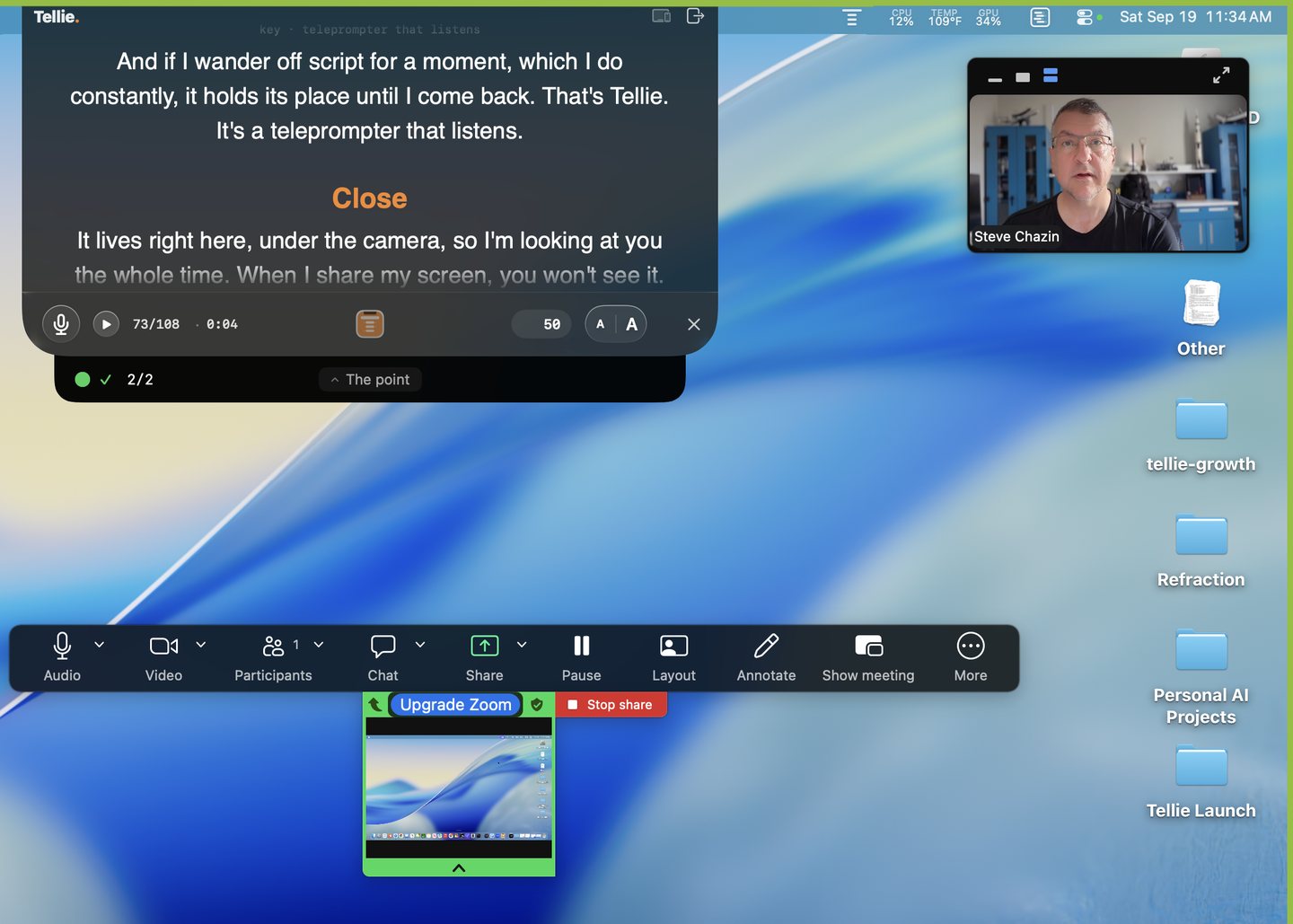
What everyone else sees
The desktop behind it. Never Tellie.
This holds for any conferencing or recording tool, not a fixed list. Common examples:
ZoomTeamsMeetScreen recordingsScreenshots
Why this beats the usual workarounds
No dodging required.
- A second monitorYour eyes leave the camera, which was the entire point of using a prompter.
- Low opacityStill captured, just faintly, and now it’s hard for you to read too.
- Notes behind the call windowYou have to switch apps, and everyone watches you look away.
- Overlays tied to one appThey work until the app they integrate with changes.
Beside the camera
It sits beside the lens, not below it.
Tellie lives in the notch, within a couple of degrees of the lens, so reading and making eye contact become the same motion. On a Mac without a notch, the same strip runs along the top edge, in the same place relative to the camera.
The one time it shows up: an opt-in visible mode for filming Tellie on purpose. It’s off by default and resets when you quit, so it can’t surprise you in a client recording.
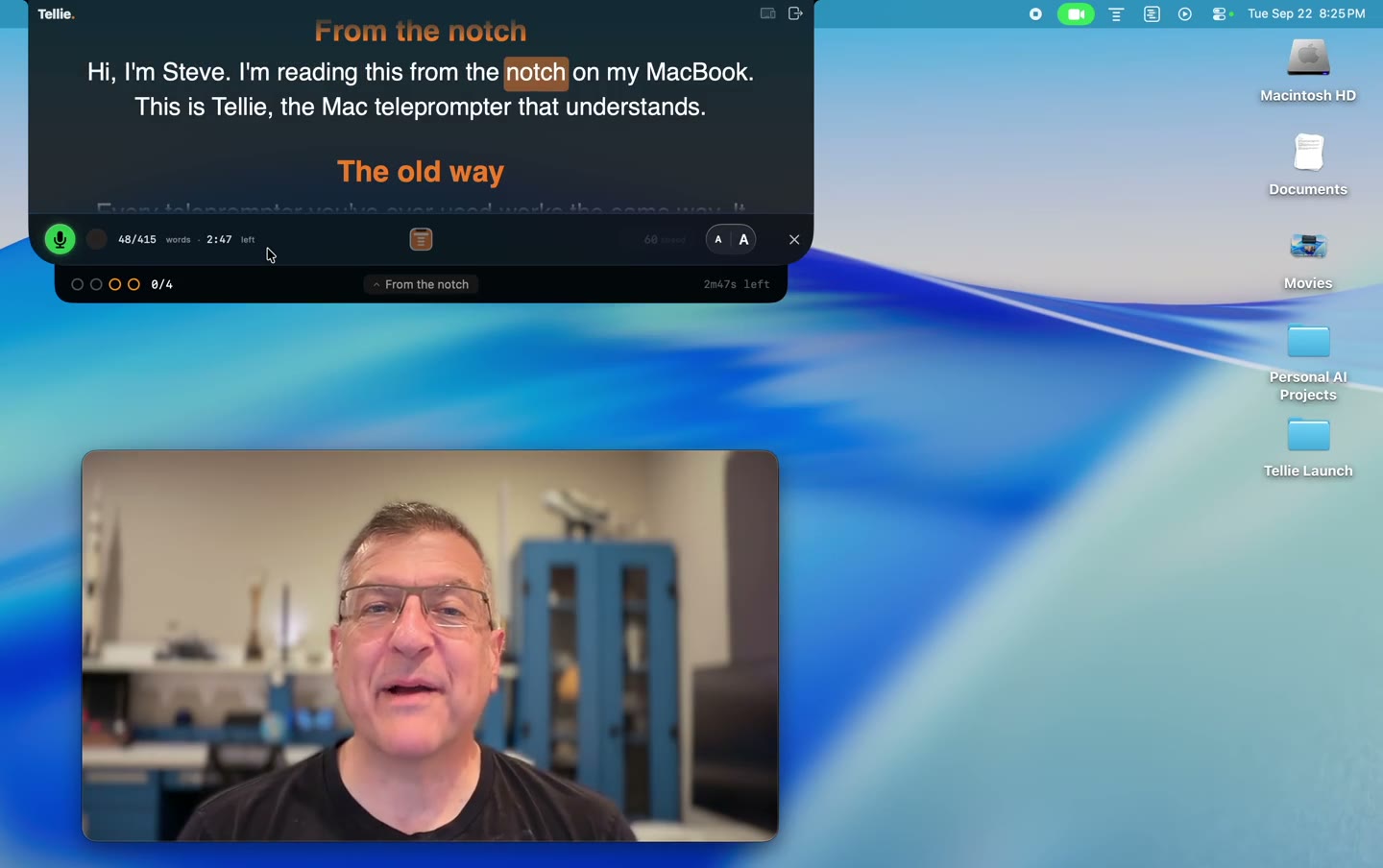
What you can put in it
A script, your slides’ notes, or just your points.
- A scriptTracked word by word as you say it, with Voice Follow.
- Your Keynote speaker notesLive in the notch, while the room sees only your slides.
- Talking pointsMark the things you can’t skip and Stagehand checks them off, even when you ad-lib.
“I now make eye contact with everyone, and connect deeper with people. I finally speak less from my notes, and more from my heart.”
“I just used Tellie on my first Casting Director Zoom workshop in 13 years.”
The invisible teleprompter, answered
More in Help, or email Steve at steve@skytech.io. He answers every message himself.
Can people on the call actually see it?
No. Tellie's window is invisible to screen capture, so Zoom, Teams, Meet, recorders and screenshots all get whatever is behind it. That is the window itself rather than an integration, so there is no list of supported apps to check.
Does it show up in a recording?
No. A screen recording is a screen capture, so it gets the same treatment as a live share. The recording shows the desktop behind Tellie.
What if someone takes a screenshot?
Same result. The screenshot captures what is behind Tellie.
Do I need a Mac with a notch?
No. On a Mac without one, Tellie puts the same strip along the top edge, in the same place relative to the camera. The notch is where it looks best, not where it only works.
Is there a way to make it visible on purpose?
Yes, there is an opt-in visible mode for filming Tellie itself. It is off by default and resets when you quit.
What does it cost?
Tellie is free forever as a teleprompter, and the invisibility is not a paid feature. Pro adds Voice Follow, Stagehand and Presenter Magic for $29 once, never a subscription, for up to 3 Macs.