 Tellie
For teaching & lectures
What if you could wander off the lesson and still land it?
Keep your lesson plan in the notch while you teach. Take a question, follow a tangent, then pick up right where you left off. Voice Follow waits for you, and the points on the assessment get covered before the bell.
Each download unlocks all of Tellie Pro for 10 days. No account, no card.
Watch it follow a lesson.
Wander off, take a question, come back. The points that are on the test still get covered before the bell.
How it works
Your plan’s right there. So is the freedom to leave it.
- Load your lesson planLecture notes, a slide outline, a reading or a full script, as text, Word, PDF or Pages.
- Start teachingOn camera for an online class, or in the room with your laptop.
- ImproviseTake the question, follow the tangent. Voice Follow waits and picks up when you return.
Why educators use it
Built for teaching, which never goes to plan.
- Waits while you improviseVoice Follow follows your words, not a clock, and holds your place through a tangent.
- Eyes on the roomYour plan sits by the lens, so students get your eyes, not the top of your head.
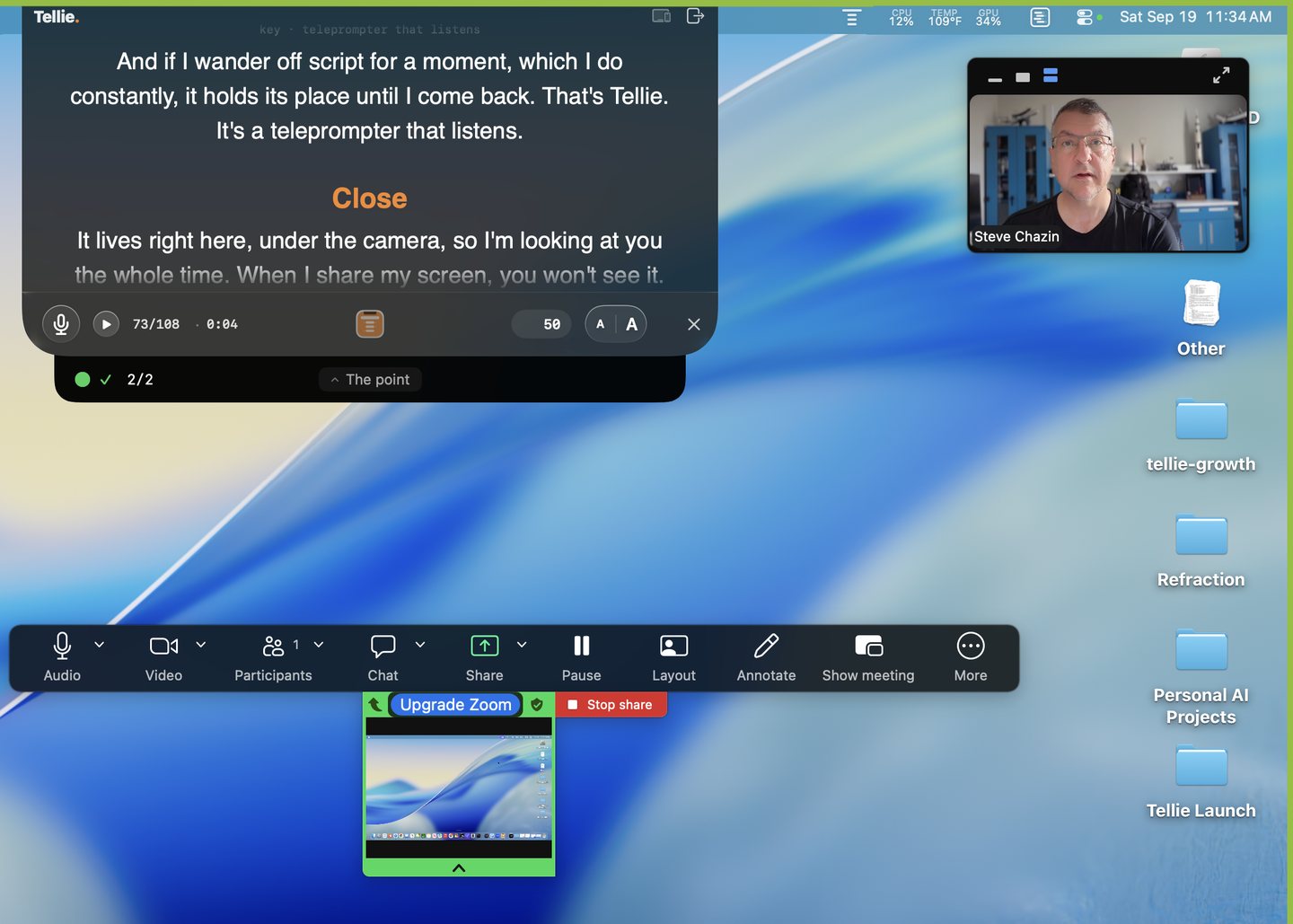
- Invisible to your recordingRecording the lecture for the LMS? Your notes never end up in the upload.
“When I’m teaching, I’ll frequently add stuff or comment, and Tellie is tolerant of my saying bunches of words that aren’t the next line without advancing. The virtue of Tellie for me lies in my not having to control it.”
“My wife is recording an online course with a 200 page script. She can send whatever she wants from her Pages document straight to the prompter with a single button. Absolutely amazing.”
“It’s fantastic. I’ve knocked out at least two dozen educational videos using it so far, and probably at double the speed as before.”
Stagehand PRO
Bueller? Bueller?
Mark what’s on the assessment and follow the good tangent anyway. Tellie keeps the list and tells you by name while there’s still time.
- Warm-up: what do plants actually eat?
- A great question takes the class off plan
- Tellie: “On Friday’s test” is still ahead
- Covered, in your own words, before the bell
Afterward, a quiet record of what you covered and where the lesson went instead.
minutes: 50
# Period 3: Photosynthesis
## Warm-up
Who can tell me what plants actually eat?
## What to remember
> key: chlorophyll
Chlorophyll is what captures the light.
## ! On Friday’s test
> key: carbon dioxide
Plants take in carbon dioxide and give off oxygen.
Questions from teachers
More in Help, or email steve@skytech.io and a person replies.
Will my students see it when I share my screen?
No. Tellie stays out of screen sharing and screen recording, so a class watching your shared desktop sees the slide, not your notes. The same applies to a lecture you record for later.
Can I use it for a lesson I have taught before?
That is where it earns its place. Mark the two or three things the lesson has to land, and teach the rest however the room goes. Tellie tracks what you have covered and tells you if a marked point is about to run out of time. A ready-made lesson script shows the marks in place.
Is anything about my class sent anywhere?
Nothing. No account, no cloud, no recording of the room. Speech recognition happens on your Mac and the audio is not kept. Your lesson plan stays in the file you opened. Detail on the privacy page.