 Tellie
Nudge PROBETA
Your next line, in your ear
Keep your eyes on the room. Lose your place and a quiet voice in your AirPods says your next words, while they glow on screen. Only you hear it.
Each download unlocks all of Tellie Pro for 10 days. No account, no card.
Apple silicon Mac (M1 or later) · macOS 14 or later
Off book, never lost
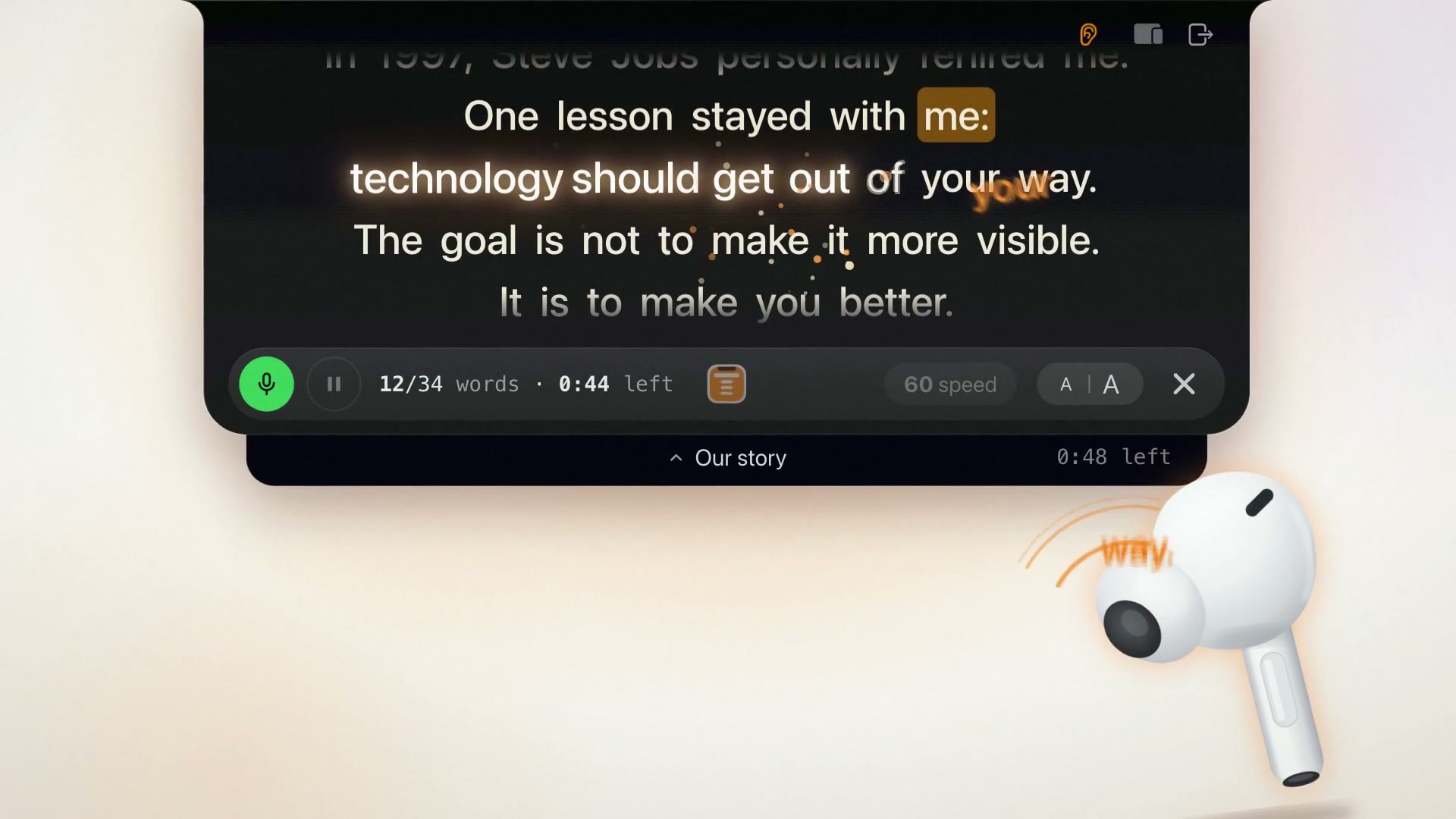
Two ways your line arrives
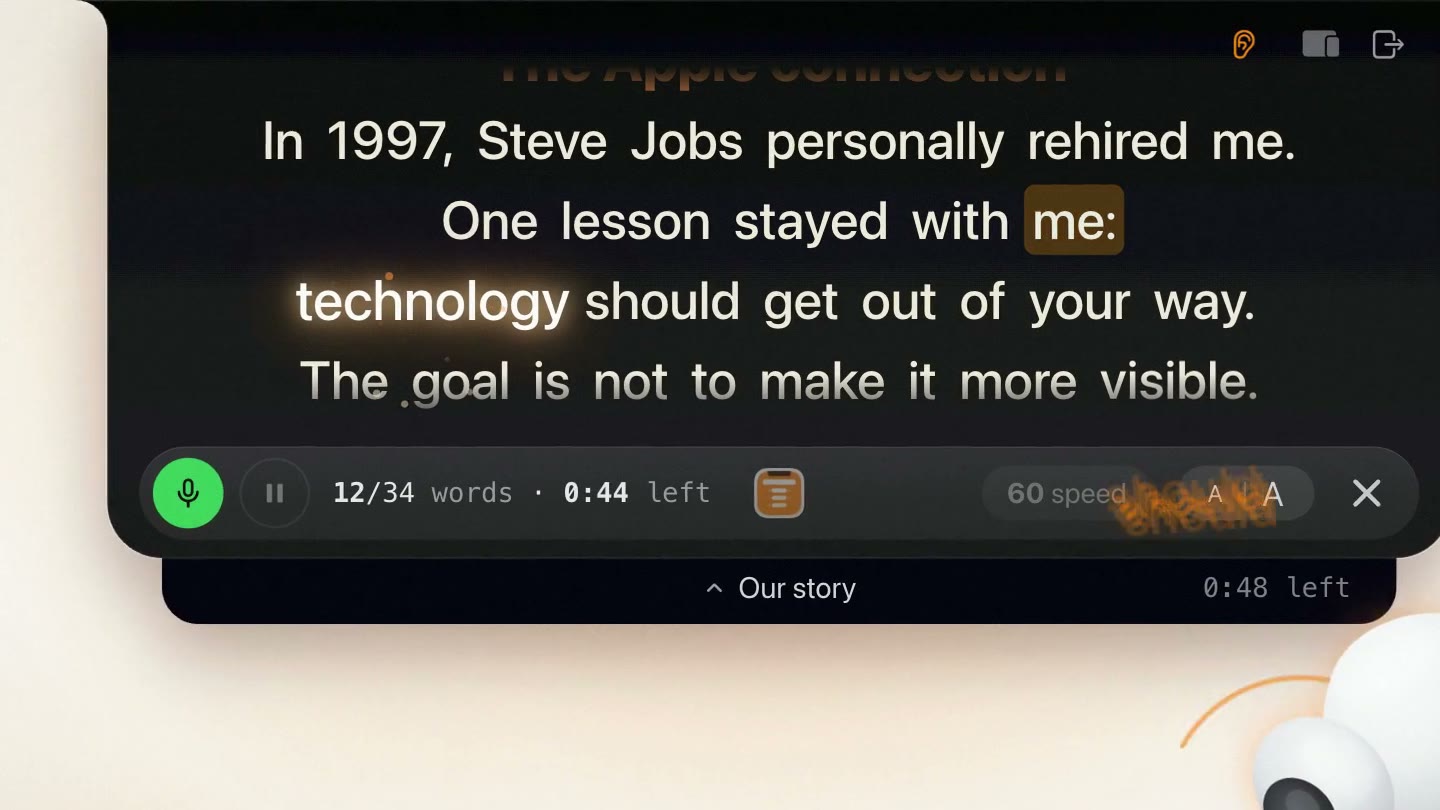
When you stall
Pause mid-thought and your next words glow, then a quiet voice says them. It learns how you pause, so a dramatic beat stays yours. Start talking and it stops.
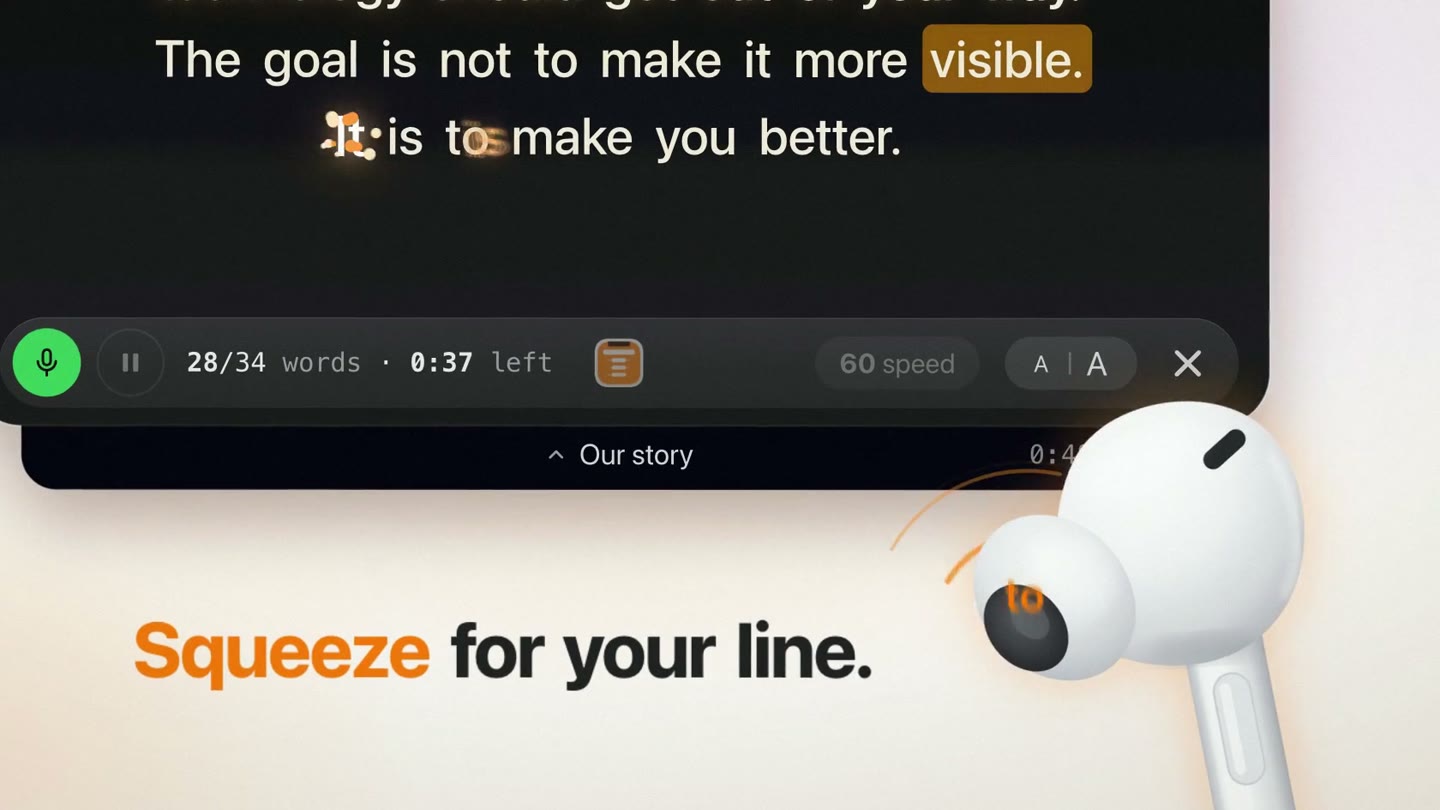
When you ask
Squeeze an AirPods stem, press a key or tap a foot pedal. Once for your next words, twice for a key phrase, three times to hear it again.
On stage
Made for the moment you go off book
Choose how much it says: a few words, a little more, or the whole line. One more key takes you a sentence back. Sharing the scene? Put [Actor 2] where your partner speaks and Tellie holds your place until it’s your turn.
Only your words, only in your ear
Tellie never adds a word of its own, in any of the 40+ languages Voice Follow understands. It speaks only into headphones, never your Mac’s speakers. How Nudge works
Built with Jens Nuessle, an actor and theater director in Germany, who asked for an invisible prompter in his ear and tried it on stage.
Questions about Nudge
Step by step in Help, or email Steve at steve@skytech.io. He answers every message himself.
What is Nudge?
Nudge is the off-book helper in Tellie, the Mac teleprompter. Wear AirPods or other headphones. When you lose your place, a quiet voice says your next words while they glow on screen, and when you ask, your line arrives at once. Only you hear it.
When does Nudge speak on its own?
Only when Tellie is sure you’re stuck: you were on the script, then went quiet for longer than your own usual pauses. It waits a little longer after a full stop, never speaks at a [pause] or [breathe] mark, and stops the moment you start talking. You choose how long it waits, or set it to speak only when you ask.
How do I ask for my line?
Squeeze an AirPods stem: once for your next words, twice for the next key phrase you haven’t said yet, three times to hear it again. Or press a key: F8, F9 and F7 to start, or any key you choose, including a foot pedal or a presentation clicker. One sentence back has a key of its own.
Can my audience or my microphone hear it?
No. Nudge speaks only into your headphones, never through your Mac’s speakers. Tellie keeps listening with your Mac’s own microphone, or a USB or display mic, so your AirPods keep their full sound.
Does it work in other languages?
Yes. Nudge only ever says your own words, so it works in every language Voice Follow understands, more than 40. A soft chime marks a key phrase instead of announcing it.
Can I use it on stage with a scene partner?
Yes. Put [Actor 2] in your script where your partner speaks. Tellie holds your place while they talk, so their lines can’t move you on, and lets go when you start your next line or press a Nudge key.
What does it need?
Tellie Pro on a Mac with Apple silicon and macOS 14 or later, and headphones: AirPods, other Bluetooth headphones or wired earbuds. Nudge is in Beta and starts switched off: turn it on in Settings, Advanced.
Is Nudge free?
Nudge is part of Tellie Pro. Every download includes 10 days of Pro with no card; after that Pro is $29 once for up to 3 Macs. The Mac teleprompter itself stays free.
Keep your eyes on the room
Download Tellie. Put in your AirPods. Turn on Nudge.
Apple silicon Mac (M1 or later) · macOS 14 or later