 Tellie
For video creators
Talk to your audience, without glancing at your script.
Tellie follows the words you actually say, so you keep eye contact, go off script, and never lose your place. It stays hidden from your recording or live feed. Made for YouTube, TikTok and Instagram creators.
Each download unlocks all of Tellie Pro for 10 days. No account, no card.
Watch it follow a take.
The intro reads in plain white. The two you can't leave out, the sponsor read and the ask, only turn green once you've actually covered them.
How it works
One take. No idiot boards.
Load your script, hit record, and just talk. Tellie keeps your place.
- 1
Load your script
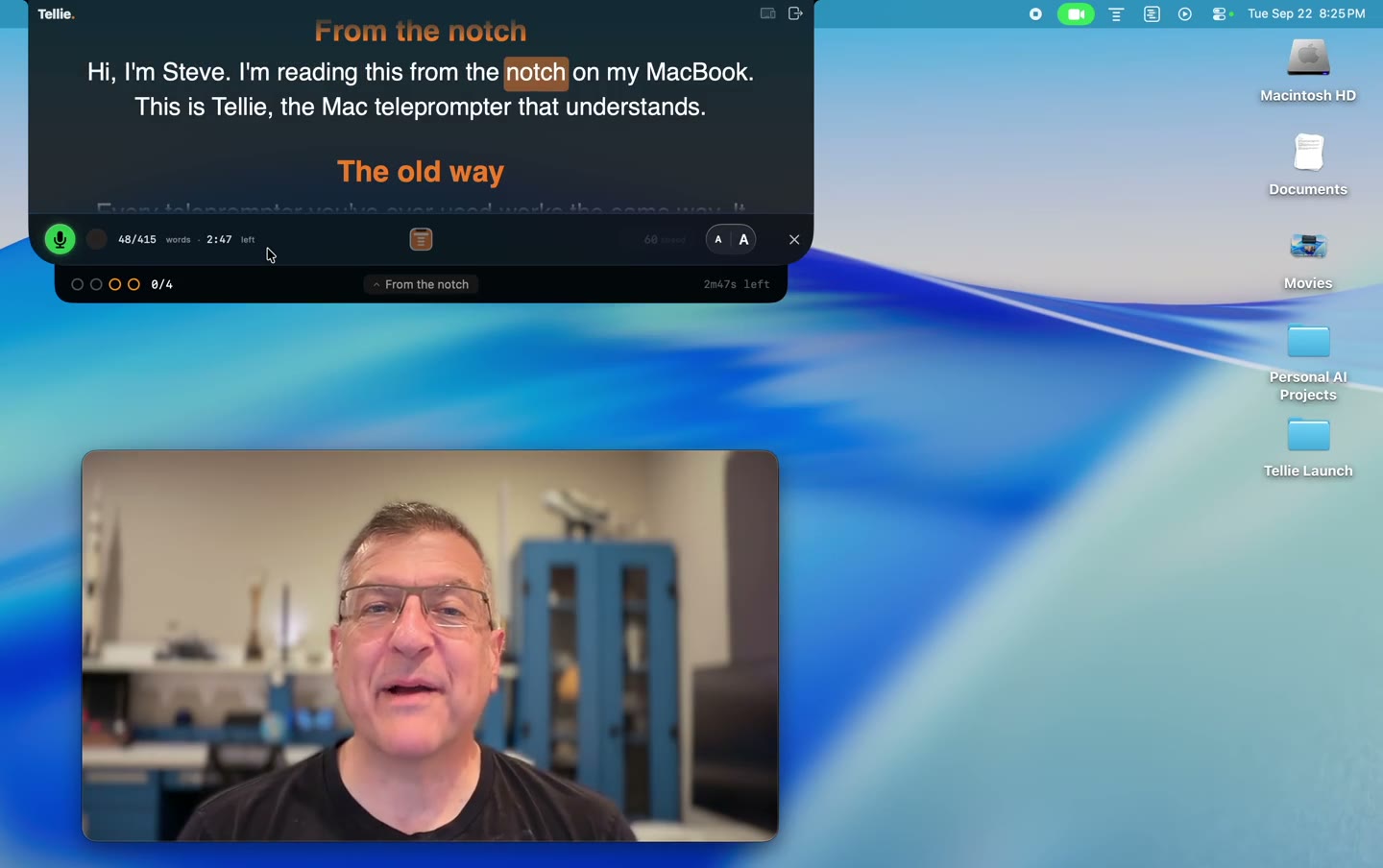
Open it as text, Markdown, Word, PDF, or Apple Pages. The prompter pops out right under your webcam or camera.
- 2
Hit record
Start your camera or screen recorder. The notch is excluded from capture, so it never shows up in the footage.
- 3
Just talk
Voice Follow tracks your words and keeps pace. Pause for emphasis, restart a line, or riff, and it stays right with you.
Why creators use it
Read it like you’re not reading
- Eyes on the lensYour script sits right beside the camera, so viewers feel you talking to them.
- Follows your paceSlow down, ad-lib a joke, or restart a sentence. It keeps up instead of scrolling past you.
- Invisible to your recordingYour script never sneaks into the final cut or a screen-shared take.
- Multi-take rewindFlubbed a line? Jump back one sentence and go again.
Stagehand PRO
Land the hook, the sponsor read and the ask
Mark the beats that matter. Say each one however it comes out on the day, and it checks off. If time gets tight, Tellie gently nudges you while there’s still time to cover everything, and afterward you see what you covered and how fast you talked.
The two-minute scripting guideA sponsored take, ready to use
minutes: 3
# Episode 12: The iPhone Max
## The hook
Yup, everyone thought it was going to be called iPhone Ultra, but we have the real scoop!
##! Sponsor
This episode is brought to you by SteveChazin.com.
##! The ask
> key: subscribe
The best way to support the channel is to subscribe.
Companion PRO
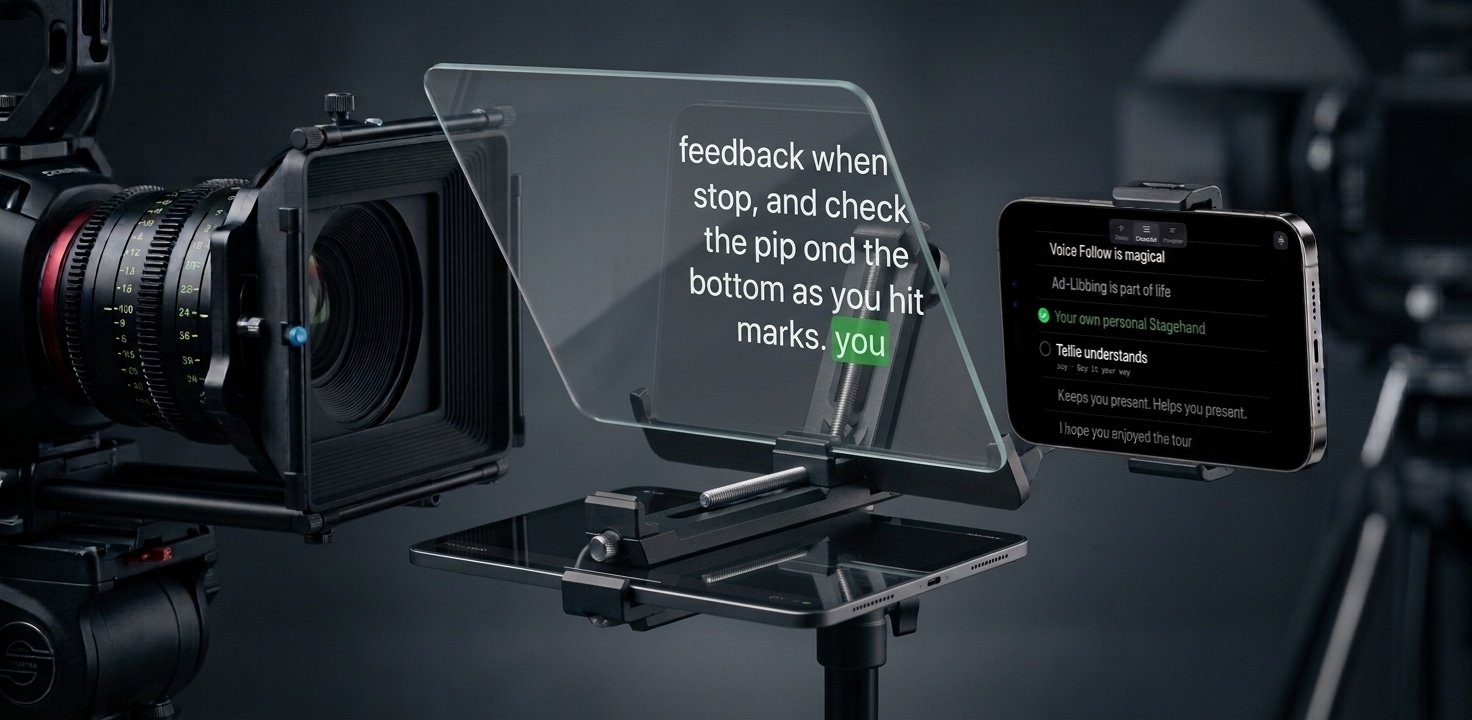
Shooting Shorts, Reels or TikTok? Use your phone.
Your Mac still does the listening and word-following while your iPhone becomes the screen you read from, propped by the lens or on a beam-splitter rig. The same eye-contact trick, sized for the vertical feed.
“I tried ten teleprompter apps, Tellie is the only one that just works. Reliable voice tracking, automation through hotkeys, and best of all, I can send any text directly to the teleprompter with a single button press.”
“Love it. It has replaced the built-in Elgato prompter app since yours actually listens to my words and also lets me speak more freely in between the scripted sentences.”
“I’d downloaded teleprompters before, but they were always too much fuss to set up. But this is a teleprompter that listens to you.”
Questions from people who record
More in Help, or email steve@skytech.io and a person replies.
Will the teleprompter show up in my screen recording?
No. macOS excludes Tellie’s window from capture, so ScreenFlow, OBS, QuickTime and Loom all record what is behind it. No masking or cropping in post. There is an opt-in visible mode for filming Tellie on purpose, and it resets on quit.
Is this an autocue?
Yes. Autocue is what most of the world outside the United States calls a teleprompter. Tellie does the same job without the rig, the glass or the operator, and it follows you rather than scrolling at a speed you have to match.
Do I need a beam splitter or a hardware prompter?
No. Those exist to put text on the axis of a big lens. On a Mac the camera is inches from the notch, so text there already reads as eye contact. Shooting on a real camera? Put the Mac under the lens and use the thin strip.
Can I read a script and still sound unscripted?
That is what Tellie is built for. Voice Follow highlights the words as you say them, so you can wander, restart a sentence or drop a line and it keeps up. Mark the points you want to land and Tellie confirms you covered them, in your own words. A ready-made script shows the convention.